TOPApp
App
Meta Rewrite Technology
Meta Rewrite Technology is available for JPY 22,000 per month, with a 7-day free trial. Explore the app with actual screenshots of its Japanese interface.
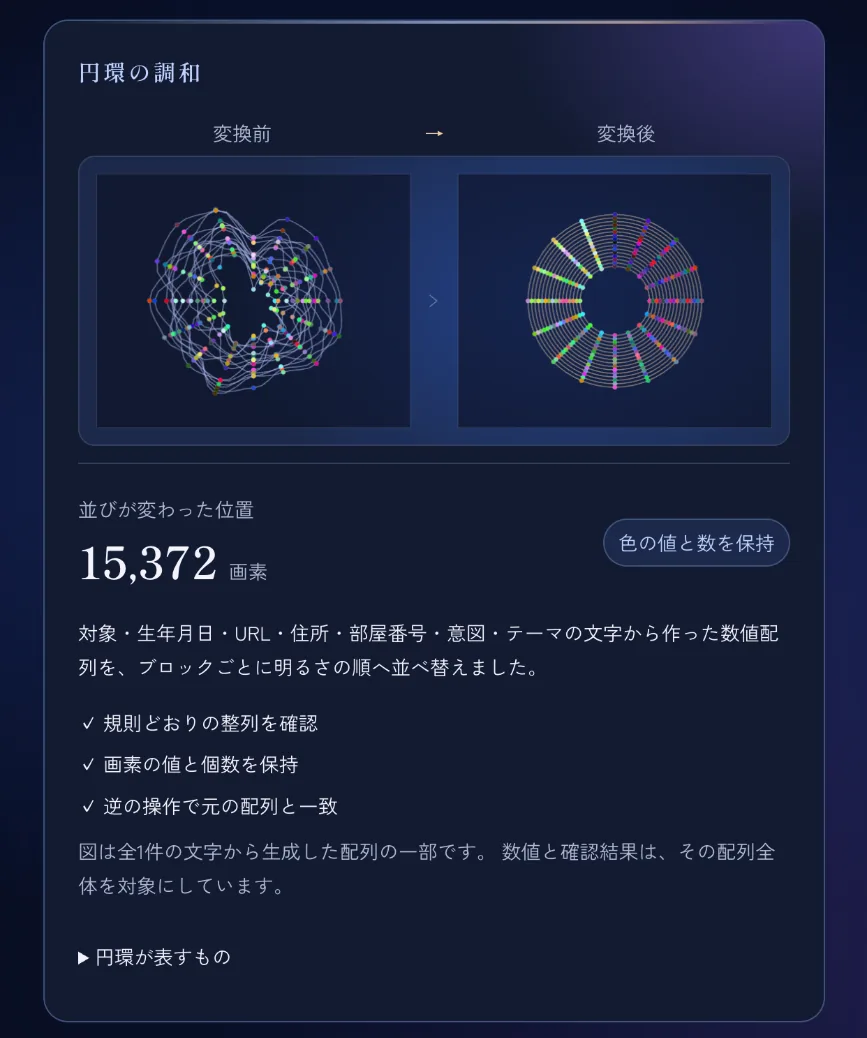
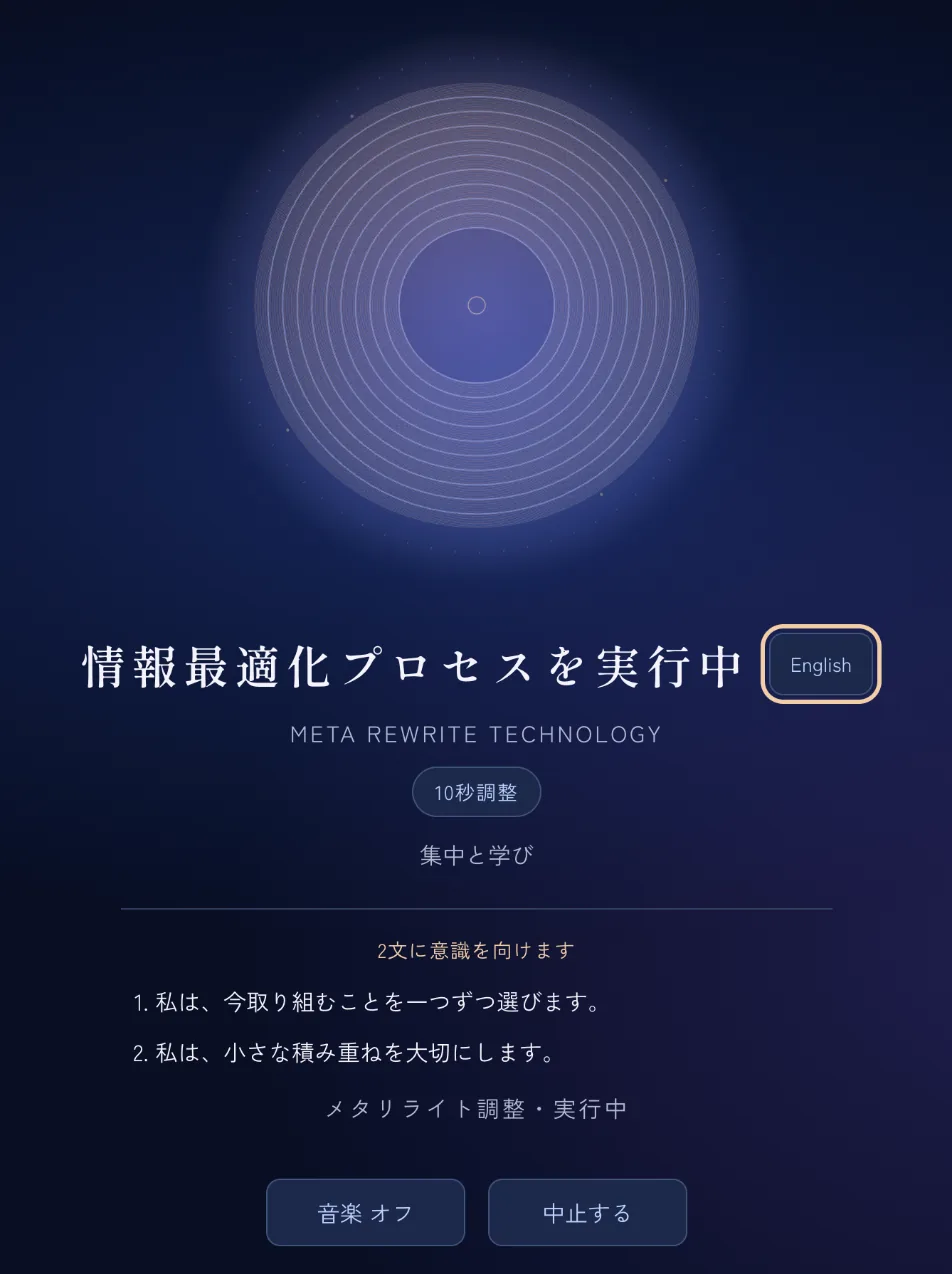
Actual app screenshots: a session and the Ring Harmony screen. The interface shown is in Japanese.
The institute’s approach,
in 10 seconds a day.
Meta Rewrite Technology is based on the principles of Meta Rewrite. Open it in a phone or computer browser, then choose a target, theme, words and duration. The basic option is a 10-second adjustment, with sessions lasting up to 90 minutes alongside music.
Monthly feeJPY 22,000
7-day free trial
Access is by invitation. A payment card is required for the free trial. Cancel before the trial ends to avoid the monthly charge.
Open the appHow it works
A guide using actual screenshots
Follow the process from beginning to end. This example uses the Focus and Learning theme, two affirmations and the 10-second adjustment.
01STEP
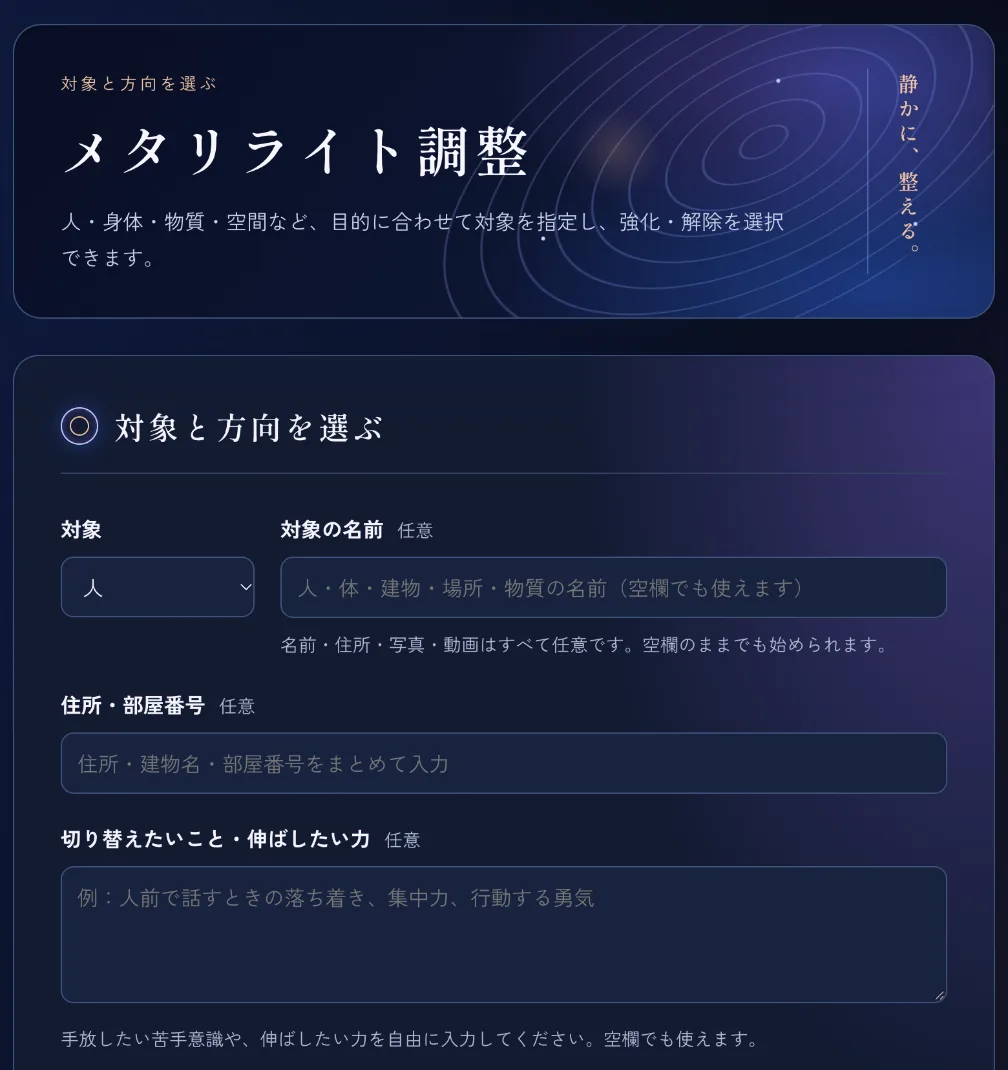
Choose a target
Choose one of six target types. The name, address, photos and videos are all optional; you can start without them. In the intention field, describe in your own words a difficulty you would like to let go of or a capacity you would like to develop.
- Person
- Body
- Building
- Place
- Material
- Website
02STEP
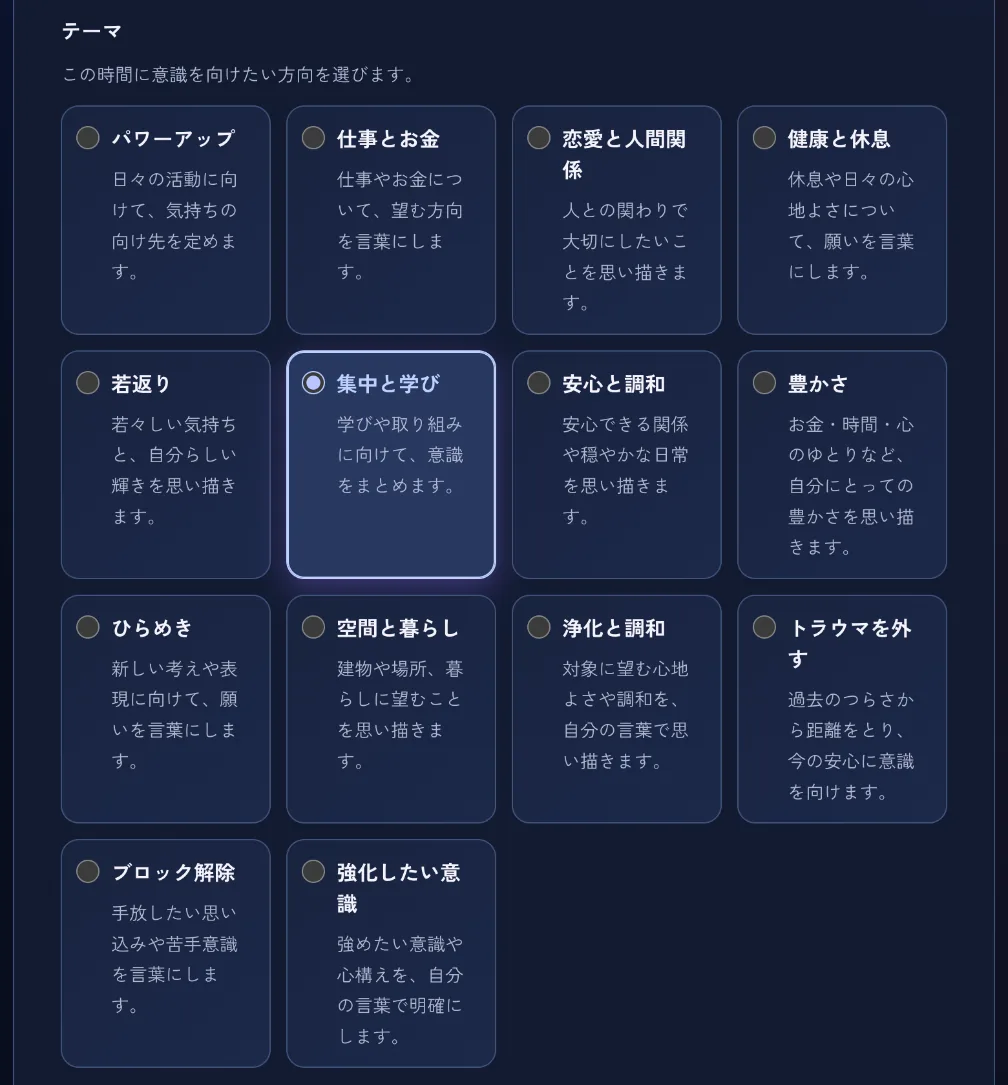
Choose a theme
Choose one of 14 themes as the direction for your attention. The suggested affirmations in the next step change to match your theme.
- Power up
- Work and money
- Love and relationships
- Health and rest
- Rejuvenation
- Focus and learning
- Calm and harmony
- Abundance
- Inspiration
- Space and living
- Cleansing and harmony
- Letting go of trauma
- Releasing blocks
- Mindset to strengthen
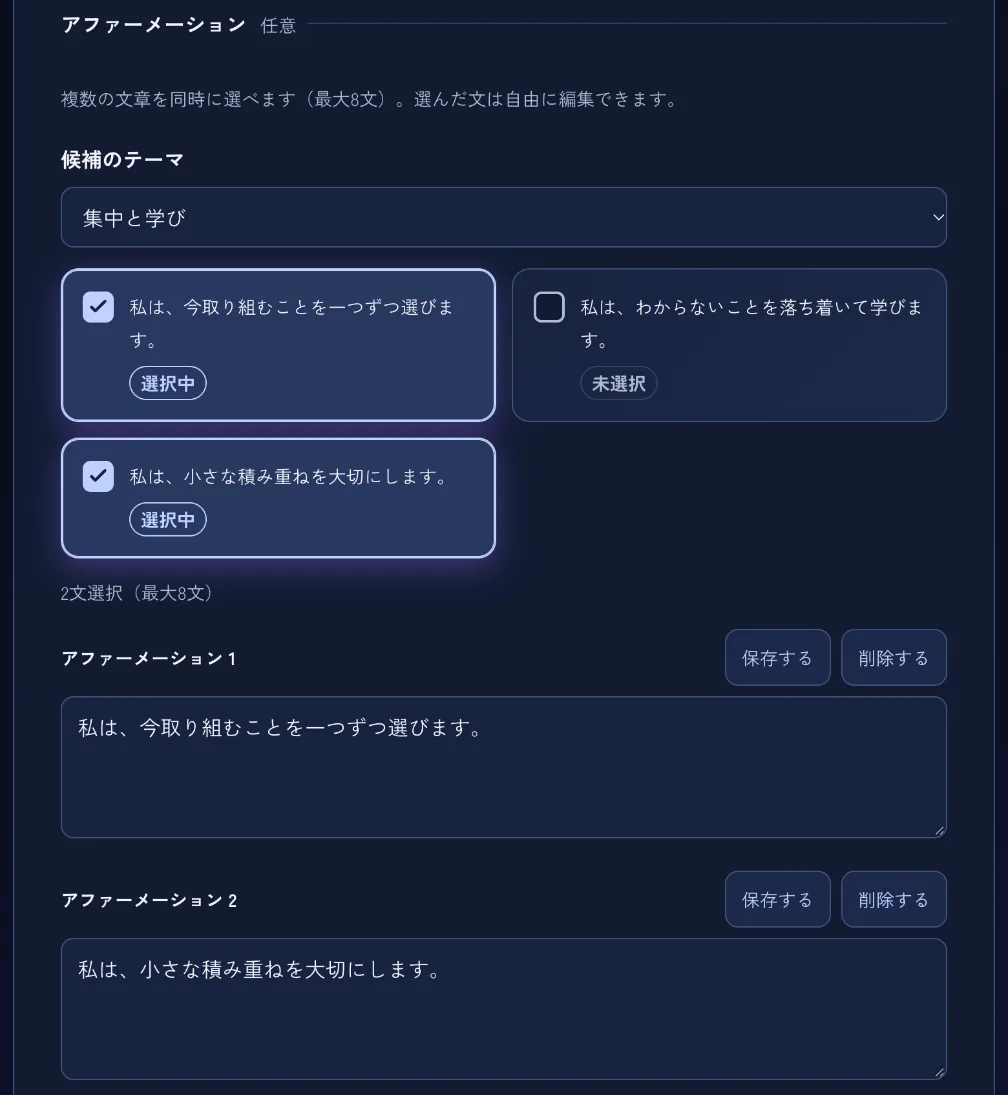
03STEP
Choose words (affirmations)
Select up to eight suggested affirmations for your theme. Edit them, add your own words or save phrases you use often. You can also begin without selecting any affirmations.
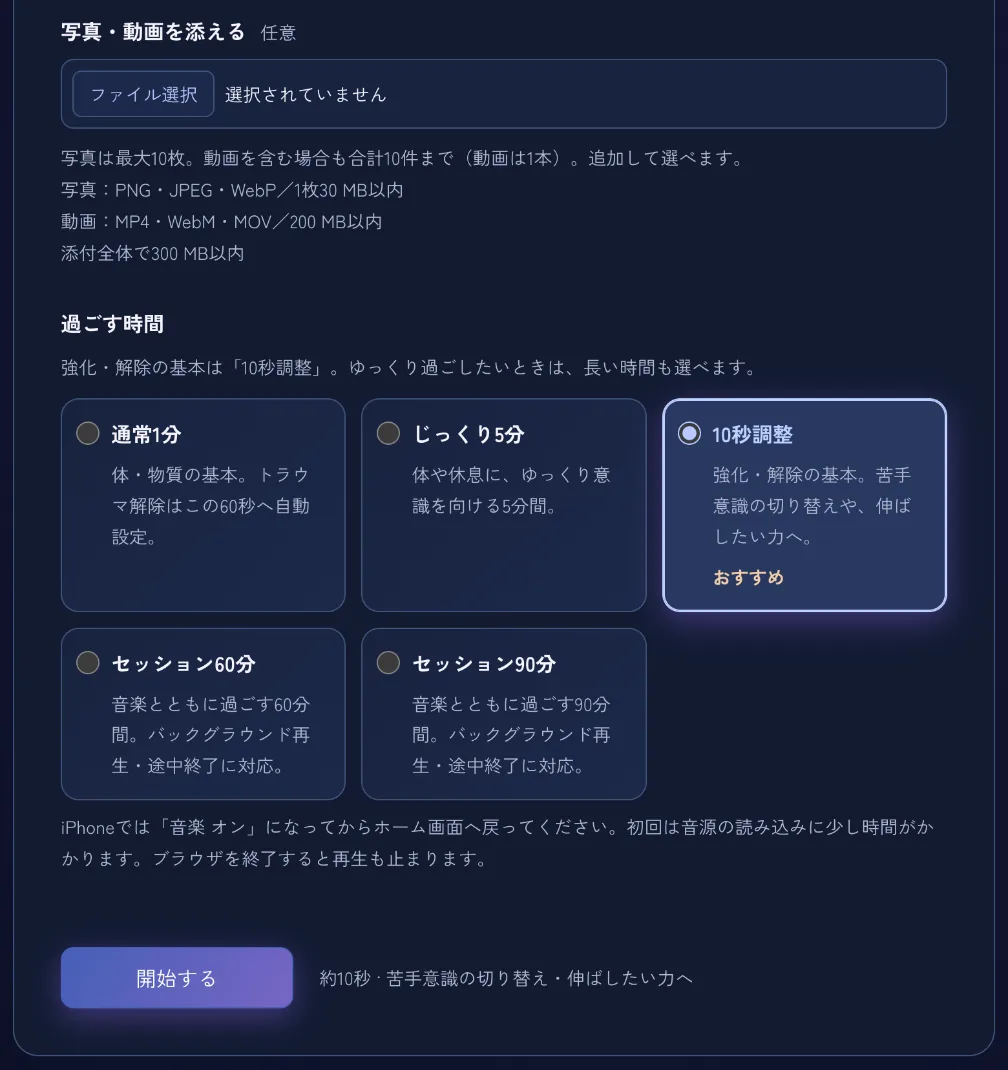
04STEP
Choose a duration and start
Choose a duration. You may also attach photos or a video, with up to 10 photos. When you are ready, press Start.
- 10-second adjustmentBasic strengthening / release mode (recommended)
- Standard: 1 minuteBasic body / material mode
- Extended: 5 minutesTake more time to focus on your body or rest
- 60-minute sessionWith music; you can stop at any time
- 90-minute sessionWith music; you can stop at any time
05STEP
Run a Meta Rewrite adjustment
An animated ring and your selected affirmations appear on screen. Spend this time focusing on the words and the state you would like to imagine. You can turn music on or off, or stop the session at any time.
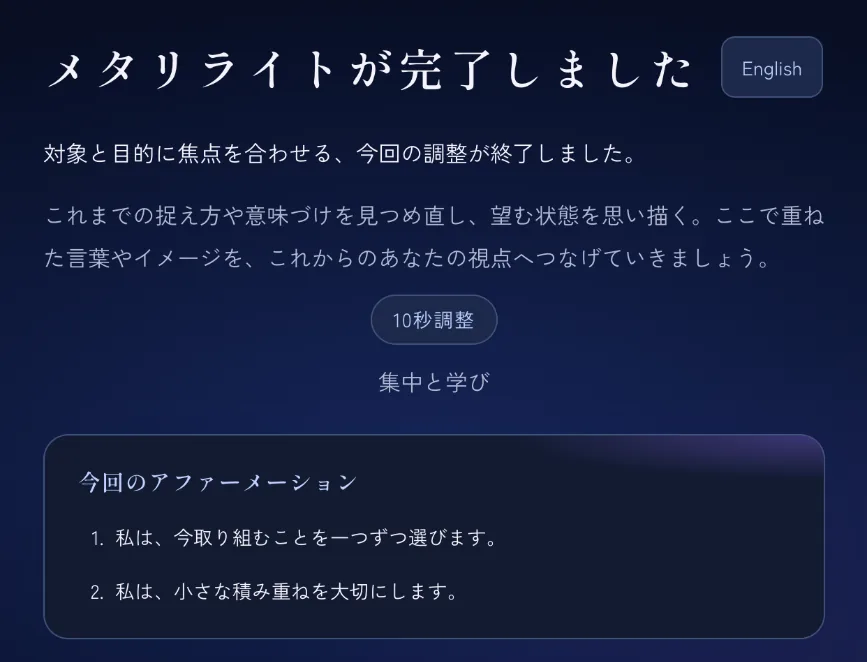
06STEP
Reflect after finishing
When the session ends, the app lists your theme, duration and affirmations. Connect the words you focused on with your everyday actions.
07STEP
View the post-adjustment image
Finally, the app shows Ring Harmony. It generates a sequence of numbers from entered text, such as the target name, intention and theme, then visualises the sequence before and after rearrangement according to fixed rules. It also shows how many positions changed and checks that the process is reversible. You can send the results through a share link; names, addresses, affirmations and photos are not shared.
The rings and before-and-after comparisons visualise data rearrangement within the app. They do not demonstrate or guarantee outcomes relating to health, rejuvenation, money or relationships, and do not replace medical treatment or professional care.
Start
Getting started
- 01 Receive an invitation code
Obtain a code from the person who invited you. An invitation link checks the code automatically.
- 02 Create an account
Register your name, email address and password.
- 03 Seven-day free trial
A payment card is required. Cancel before the trial ends to avoid the monthly charge.
Contact
Get in touch
For enquiries about training, advisory services, the app or media requests, please use our contact form.
Contact form